Write freely. It all stays yours.
Kitty Journal is a calm, private journal for your phone. Capture a thought in seconds, keep the photos and places that go with it, and look back whenever you like. Your journal stays on your phone, you never need an account to write, and no one reads over your shoulder.
- No account needed to write
- Stored on your device
- Available in 3 languages
A little space for you
How are you feeling?
Sunday evening
Good Good
Long walk, warm tea, finished the book.
Try it: tap how you feel
A writing space that stays out of your way
Write with bold, italic, headings, lists and highlights, in the colour that feels right. Your words save themselves as you type. When an entry is worth sharing, send it as text, as a picture of the page, or as a styled PDF.
- Left-to-right and right-to-left text in the same entry
- Saved automatically after every pause
- Colours and highlights that stay readable in light and dark themes
The light was low and everything smelled like rain. I stopped on the bridge for a while, just watching the water.
Things to remember:
- bread for the ducks
- the blue notebook
Select a few words and try the toolbar.
Share this entry
Your photos and places, in one view
Memories gathers every photo you attach into a wall you can swipe through, and pins the places you wrote from on a map. Tap a pin to see what you wrote there.
- Entries written close together share one pin, with a count
- Give any place a name you choose
- Open a place in your maps app
Memories is part of Plus. Your photos always stay safe inside your entries.
12 photos
See the shape of your days
The calendar shows every day you wrote, in Gregorian or Solar Hijri. Insights turns your mood check-ins into a simple picture of how you have been feeling.
Low
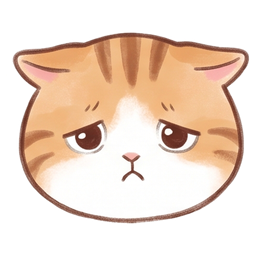 Low
Tired and a bit flat. Early night tonight.
Date range
Mood distribution
- Very low
- Low
- Okay
- Good
- Great
 Very low
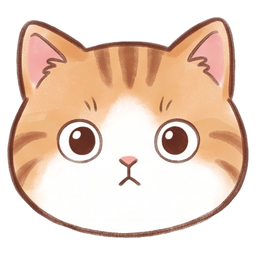 Okay
 Great
Lock it. Back it up. Undo it.
Deleted something by mistake? Undo it in one tap, or find it in the trash. Save a full backup to a file whenever you like, free, and restore it on a new phone. Plus adds an app lock with a PIN or fingerprint, and an optional cloud backup of everything except photos.
Enter your PIN
Even more inside
The small things that make a journal feel like yours.
Home stories
On this day, and the best of last month and last year, as little stories with your photos.
Wrapped
Your month or year as a story you can save as a picture or a PDF: entries, streaks, moods and favourite moments.
PDF book
Every entry of a period in one PDF, each entry on its own page.
Time capsules
Seal an entry until a date you choose. Nobody, including you, can read it before then, and the app tells you when it opens.
Notebooks
Keep Work, Travel and the rest of life apart. Deleting a notebook never deletes its entries.
Cloud backup
Sign in with your phone number and back up everything except photos. Restore it on any phone. A restore never removes anything.
Seventeen fonts
Nine for Persian and eight for English and Turkish, right in the editor.
Feelings
Beyond a mood, pick the feelings that fit, like calm, grateful or anxious, and how strong they are.
Home-screen widgets
Three Android widgets: today, this week and this month. They follow your language, calendar and theme.
Photo size tools
New photos are shrunk when you add them, and you can reduce old ones after comparing before and after.
Make it feel like yours
Sixteen colour themes, each with a light and a dark version. Sage is free, and the rest come with Plus, along with seventeen fonts to write in. Pick a theme and see it. The app speaks English, Türkçe and فارسی, and switches to a right-to-left layout for Persian.
- English
- Türkçe
- فارسی
A little space for you
How are you feeling?
SageFree to write. Plus to personalise.
Everything you need to keep a journal is free. Plus adds the finishing touches, the Memories page, notebooks, time capsules and cloud backup.
Your plan
Always free
- Unlimited entries, photos and places
- Search, tags (#tag), favourites and moods
- Backup to a file, restore and storage tools
- Writing reminders
- Share as text or as a picture
- Sage theme with light and dark mode
- Simple insights for the last 30 days
Your entries, photos and backups always stay yours: they are never locked behind Plus.

Kitty Journal Plus
1 month
29,000Toman
Plus includes
- All 16 colour themes
- Font choices in the editor
- Share as styled PDF (16 templates)
- App lock with PIN and fingerprint
- Memories: photo wall and places map
- Full insights and any date range
- Home stories: On this day, last month, last year
- Time capsules
- Several notebooks
- Cloud backup of everything except photos
Kitty Journal Plus
6 months
99,000Toman
16,500 Toman per monthSave 43%Plus includes
- All 16 colour themes
- Font choices in the editor
- Share as styled PDF (16 templates)
- App lock with PIN and fingerprint
- Memories: photo wall and places map
- Full insights and any date range
- Home stories: On this day, last month, last year
- Time capsules
- Several notebooks
- Cloud backup of everything except photos
 ★ Best value
Kitty Journal Plus
1 year
149,000Toman
12,417 Toman per monthSave 57%Plus includes
- All 16 colour themes
- Font choices in the editor
- Share as styled PDF (16 templates)
- App lock with PIN and fingerprint
- Memories: photo wall and places map
- Full insights and any date range
- Home stories: On this day, last month, last year
- Time capsules
- Several notebooks
- Cloud backup of everything except photos
What you write stays on your phone.
Your entries and photos are stored on your phone, and writing never needs an account. If you choose cloud backup with Plus, only the text side of your journal is uploaded, and it is stored encrypted. Photos are never uploaded.

- No sign-up needed to write
- Your entries and photos are stored on your phone
- Cloud backup is optional and covers everything except photos
- Backup files stay yours, and you decide where to keep them
- The places map loads its map tiles online, so it needs a connection
Questions, answered
Is my journal uploaded anywhere?
Only if you choose to. Your entries and photos are stored on your phone, and you never need an account to write. If you sign in with your phone number and turn on cloud backup (Plus), your text, notebooks, moods and settings are uploaded and stored encrypted. Photos are never uploaded.
What is free, and what is Plus?
Writing is free: unlimited entries, photos and places, search, tags, backup and restore to a file, reminders, sharing as text or a picture, the Sage theme, simple insights and the home-screen widgets. Plus adds all 16 themes, fonts, styled PDFs, the app lock, the Memories page, full insights, Home stories, time capsules, notebooks and cloud backup. Your entries, photos and backups are never locked behind Plus.
What happens if I lose my phone?
Make a backup file from inside the app and keep it somewhere safe, such as your computer or a cloud drive you choose. With Plus you can also sign in and keep a cloud backup of everything except photos. Restore either one on a new phone.
Can I lock the app?
Yes, with Plus: use a PIN, or your fingerprint if your phone supports it. The lock keeps other people out of the app. It does not encrypt the files on your phone.
Does it work without internet?
Writing, photos, the calendar and insights all work offline. Only the places map, finding the address of a place, and signing in or cloud backup need a connection.
Which languages does it support?
English, Türkçe and فارسی, with a full right-to-left layout and a Solar Hijri calendar for Persian.
Your quiet corner is almost ready.
The app is on its way. Check back soon.